

Fast, simple, powerful
note-taking
Notion is slow. Obsidian is complicated. Apple Notes can't find anything. Notedown gives you speed, simplicity, and all the features that actually matter.
Notedown works differently:
- Opens instantly — fast as Notepad
- AI-powered search — find by meaning, not just keywords
- Your device first — notes stay local, sync when you want
- Paste images — screenshots and photos just work
- Markdown — clean formatting without the learning curve
Built for people who just want to write.
No credit card required. Works offline without an account.
See it in action
Clean interface. No distractions. Just your notes.
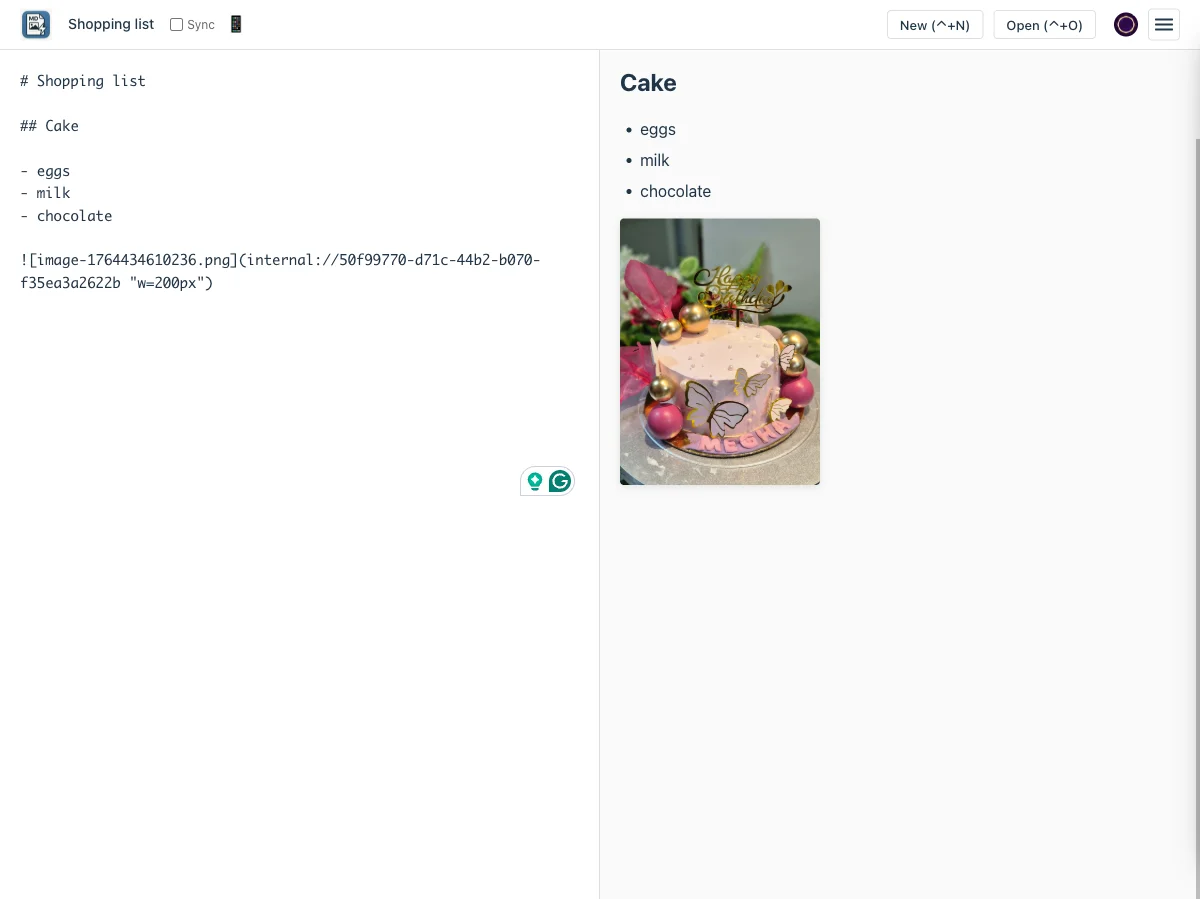
Editor + Preview
Write markdown on the left, see formatted output on the right. Updates as you type.
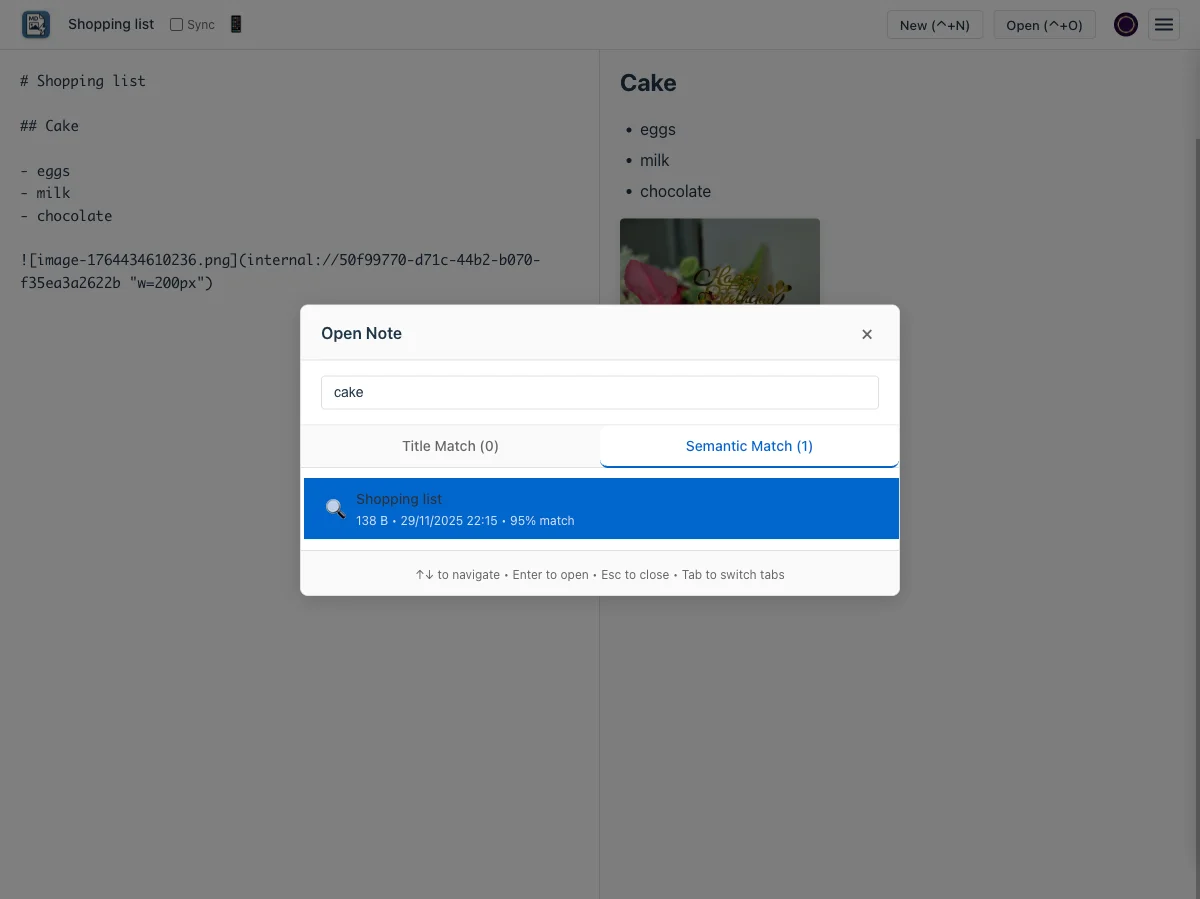
Instant Search
Find any note in milliseconds. Search by title or meaning with AI-powered semantic search.
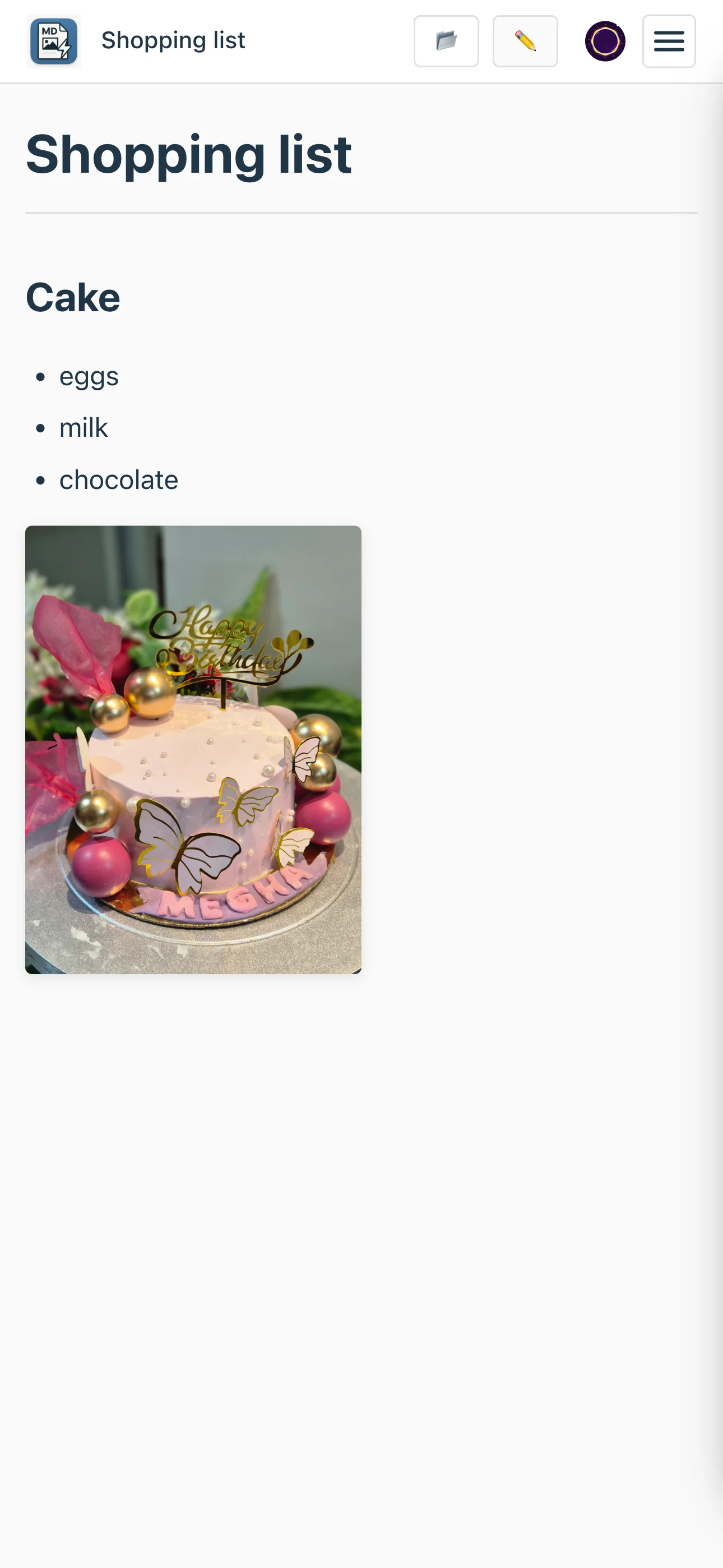
Works Everywhere
Fully responsive design. Switch between editor and preview on mobile.
Why people switch
Real benefits, not just features
Stop fighting with your note app. Start writing.
Try Notedown FreeSimple, honest pricing
Start free. Upgrade when you need more.
Free
Perfect for trying Notedown. Unlimited local notes.
- Up to 10 cloud-synced notes
- Sync across 3 devices
- 10 MB storage
- Unlimited local-only notes
Standard
For people who take notes seriously.
- ✨ Unlimited cloud-synced notes
- ✨ Unlimited devices
- ✨ 100 MB storage (10x more)
- ✨ Priority sync speed
- ✨ Premium support
Switching is easy
Already using another app? Bring your notes with you.
Import your existing notes
Notedown works with standard markdown files. If your current app can export to markdown, you can import it to Notedown. No proprietary formats, no lock-in.
Coming soon: One-click import from popular note apps. For now, export your notes as markdown and open them in Notedown.
Export from your current app
Most apps can export to markdown or plain text
Open in Notedown
Drag and drop markdown files or paste content
Start writing
Your notes are now in Notedown, ready to sync
Don't let switching friction keep you stuck with slow apps.
Try Notedown NowFrequently asked questions
How is Notedown different from Notion or Obsidian?
Notedown is built for speed and simplicity. Notion is powerful but slow—you wait for pages to load, databases to sync, blocks to render. Obsidian is fast but complex—plugins, graph view, advanced markdown features you may never use.
Notedown opens instantly (under 200ms), works offline by default, and has just the features you actually need: markdown editing, live preview, image pasting, and cross-device sync. No databases, no plugins, no learning curve.
What happens to my notes if I stop paying?
All your notes remain accessible locally, forever. If you downgrade from a paid plan to free, you keep all your local notes. Cloud sync is limited to the free tier limits (10 notes, 3 devices), but you can still access everything locally.
Your notes are stored as standard markdown files in your browser's storage. No proprietary format, no lock-in. You can export them anytime.
Do you read my notes? What about privacy?
No, we cannot read your notes. Notedown is local-first—your notes live on your device first, always. Cloud sync is optional and encrypted in transit (HTTPS).
For synced notes, we store them securely on our servers, but we don't scan or read your content. If you have sensitive information, you can choose to keep your notes local-only by not enabling sync.
If you never sign in and never sync, your notes never leave your device.
Does it work offline?
Yes, fully. Notedown is a Progressive Web App (PWA) that works offline by default. You can write, edit, search, and manage notes with zero internet connection.
When you come back online, changes sync automatically across your devices. Offline is not a degraded mode—it's the primary mode.
Can I export my notes?
Yes. Your notes are stored as standard markdown, so you can copy/paste them anywhere. One-click export to PDF, HTML, and markdown archives is coming soon (Standard and Max plans).
No lock-in. Your notes, your data.
What browsers are supported?
Notedown works in all modern browsers: Chrome, Firefox, Safari, and Edge. Mobile browsers (iOS Safari, Chrome on Android) are fully supported.
You can also install it as a desktop or mobile app (PWA) for a native app experience.
How does semantic search work?
Semantic search lets you find notes by meaning, not just keywords. Search for "recipe ideas" and find notes about "cooking suggestions" even if they don't contain those exact words.
It runs 100% in your browser using AI embeddings—no cloud API calls, no data sent to servers. Once enabled, it downloads a 70MB model that stays cached for instant searches. Everything happens locally and works offline.
How do you handle sync conflicts?
If you edit the same note on two devices while offline, Notedown detects the conflict when you sync. You'll see a side-by-side comparison and can choose which version to keep, or merge them manually.
We use timestamps to detect conflicts, not complex CRDTs or operational transforms. Simple and predictable.